Twenty-three rounds for a dot
What the design rounds that failed had in common, the small loop that finally worked, and how a dark panel at the top of the list became one orange dot.
Pip’s look was settled on the twenty-third round of design concepts. Every round was a prototype, one page you can click through, and the app is still checked against the last one.
Twenty-three sounds like stubbornness. Most of it was learning how to ask the question.
The rounds that didn’t work
The early rounds each redesigned everything at once: the sidebar, the list, the colours, the type and the way you add a task. Each one came back with a feeling, “this isn’t it”, and no way to say which part was wrong. Changing everything again didn’t help, because the next round had the same problem with new parts.
One round was even approved and built on. It had a different typeface and a floating panel for adding tasks, and it didn’t last the week. Round ten, in the middle of all this, is where the name came from: a page with three candidates on it, Mote, Pip and Ember.
The loop that worked
What finally worked was smaller. Change one part of one screen. Make two or three still versions of just that part, side by side, with everything else left alone. Pick one, build only the pick, and only then make it move.
With the rest of the screen held still, a reaction like “the second one” is enough to go on. Stills before motion matters too, because an animation can make a wrong layout feel right for the two seconds it plays.
How the dot happened
The clearest example is the place you type. In the early rounds it was the island, a small dark pill at the top of the list that opened into a panel with a chip for each thing it understood and a button to add.
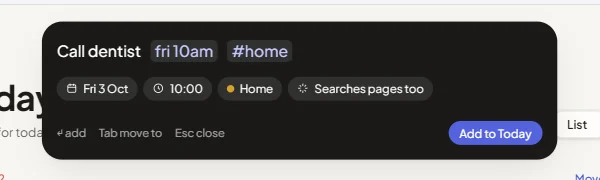
Later rounds moved it around without changing what it was. It became a dock with an orange dot and a hint to press N, then a notch hanging from the top edge of the window. Each one worked, and each one still looked like a control you had to operate.
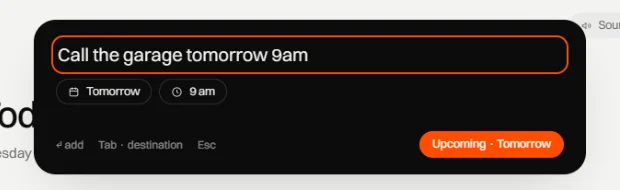
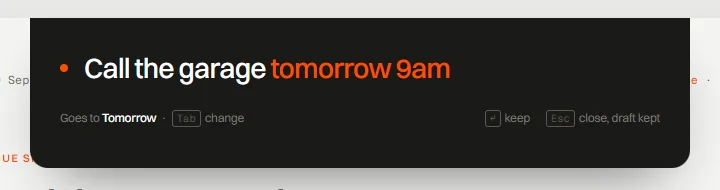
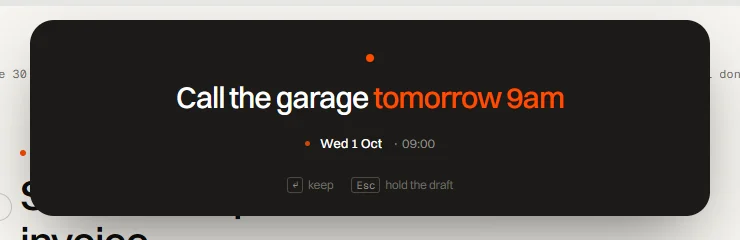
From round nineteen on, the pill became a single orange dot. At rest it sits just below the top edge and breathes slowly until you use it for the first time. Click it, or press N, and it grows into a dark panel with your line in the middle. The chips and the button went away, because you can write “for car” or “tomorrow” in the line itself, and Pip shows what it understood on one line underneath before you keep it.
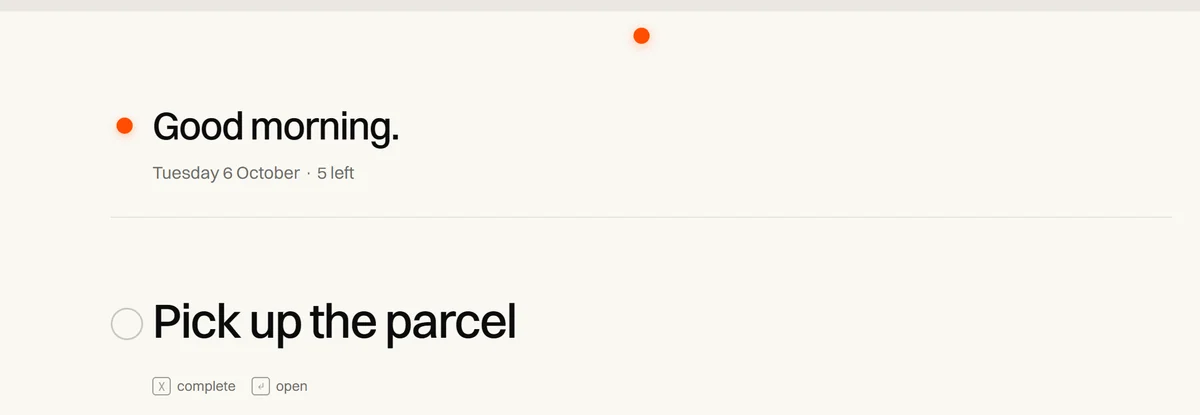
After twenty-three
The rounds didn’t stop, they got smaller. Since then there have been rounds for one thing at a time: how an open task unfolds, the grid every page shares, the first few minutes after you install Pip. Each followed the same loop of one part, a few stills and one pick.
When two of those later decisions disagree, the prototype from round twenty-three is still the one that settles it.